How to Return Items to Amazon
Local Guide for Lake County, Ohio
Why customers choose this service
Clear benefits, protections, and options designed for your peace of mind and convenience.
Friendly Guidance
Talk to real people, not algorithms.
Return Window Help
We help you avoid missing deadlines.
Carrier Flexibility
UPS, USPS, and FedEx returns accepted.
How Amazon Returns Work
- ✓ Most Amazon items can be returned within about 30 days.
- ✓ Some items (electronics, perishables, personalized items) have special rules.
- ✓ Always check your Amazon "Your Orders" page for exact eligibility and deadlines.
Step-by-Step: How to Start an Amazon Return (Part 1)
Start Your Return in the Amazon App
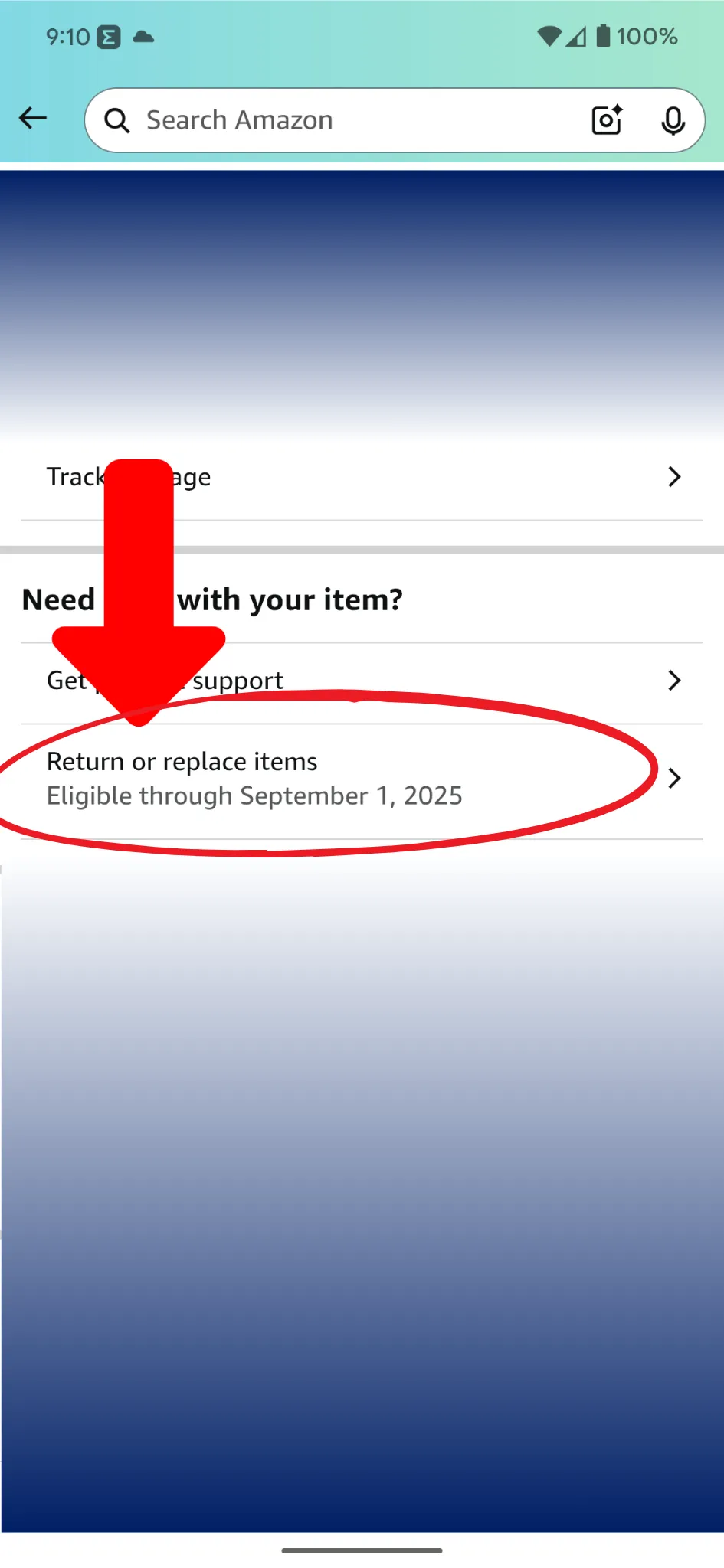
Start Your Return in the Amazon App
Open the Amazon app or website and navigate to "Your Orders." Locate the item you wish to return to begin the process.
Pick Your Reason for Returning
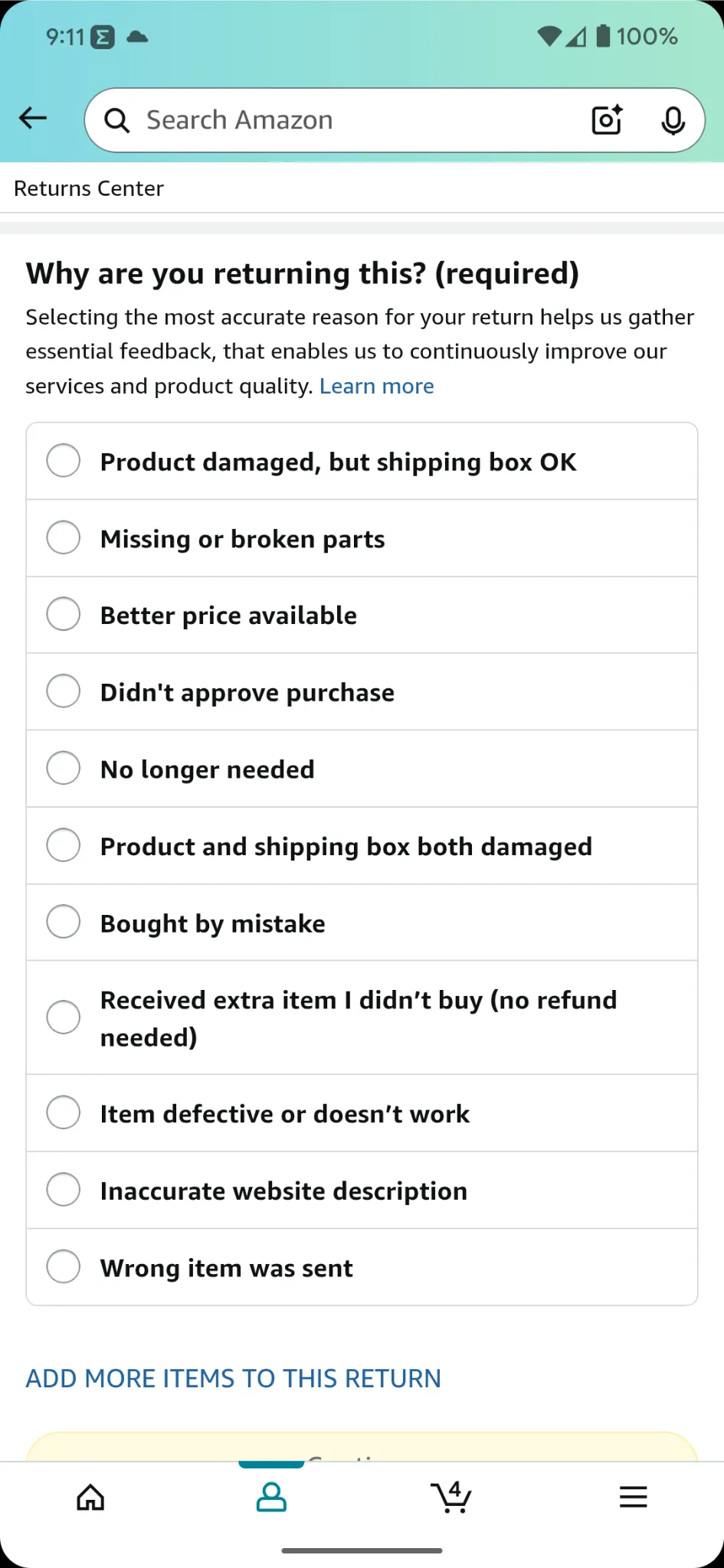
Pick Your Reason for Returning
Select the specific reason for your return from the provided list (e.g., "defective," "no longer needed"). This helps Amazon process your request accurately.
Confirm the Packaging Status
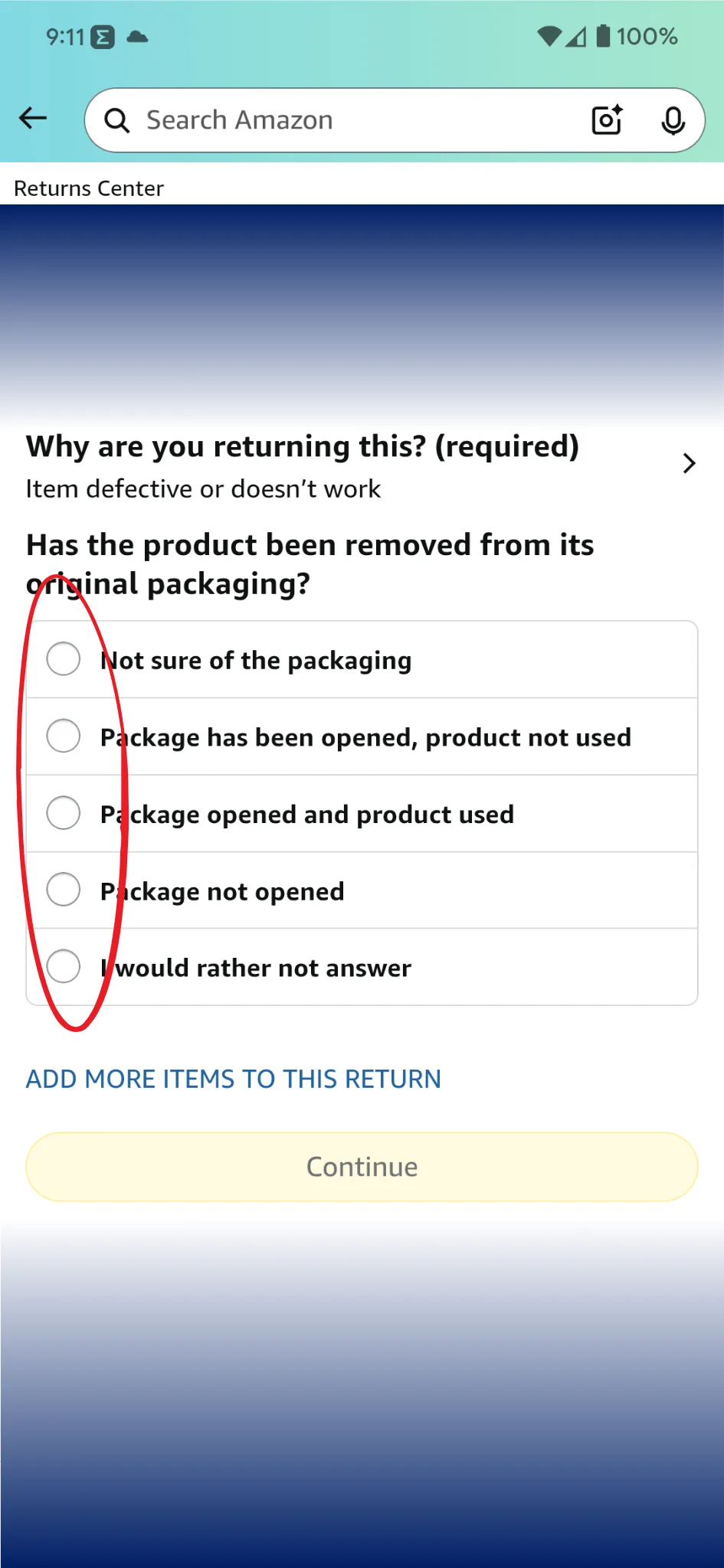
Confirm the Packaging Status
Indicate whether the item is still in its original packaging. This information helps Amazon determine the correct return method and restocking requirements.
Select Refund or Replacement
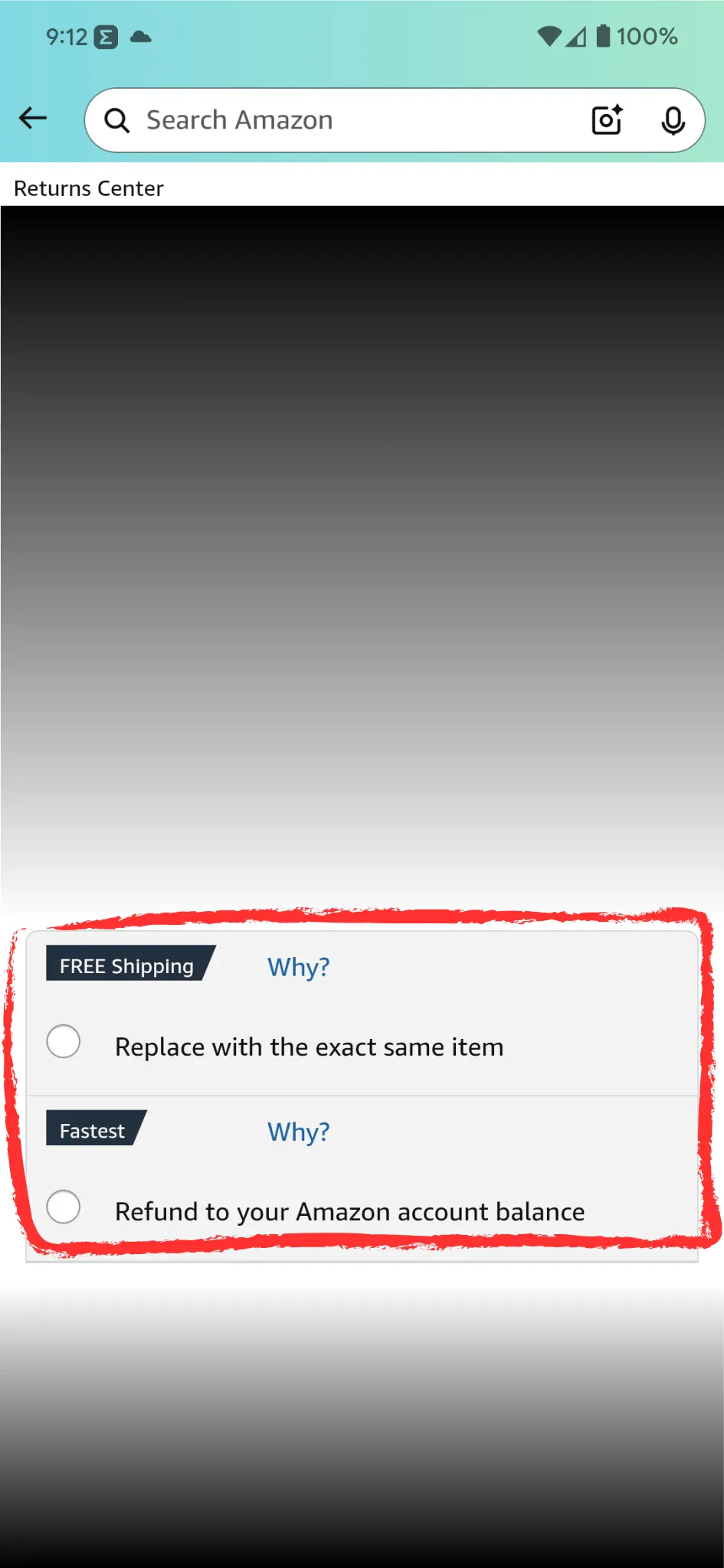
Select Refund or Replacement
Choose your preferred resolution: receive a refund to your original payment method (or Amazon balance) or request a replacement item if available.
Step-by-Step: Managing Labels & Sharing (Part 2)
Describe the Issue and Proceed
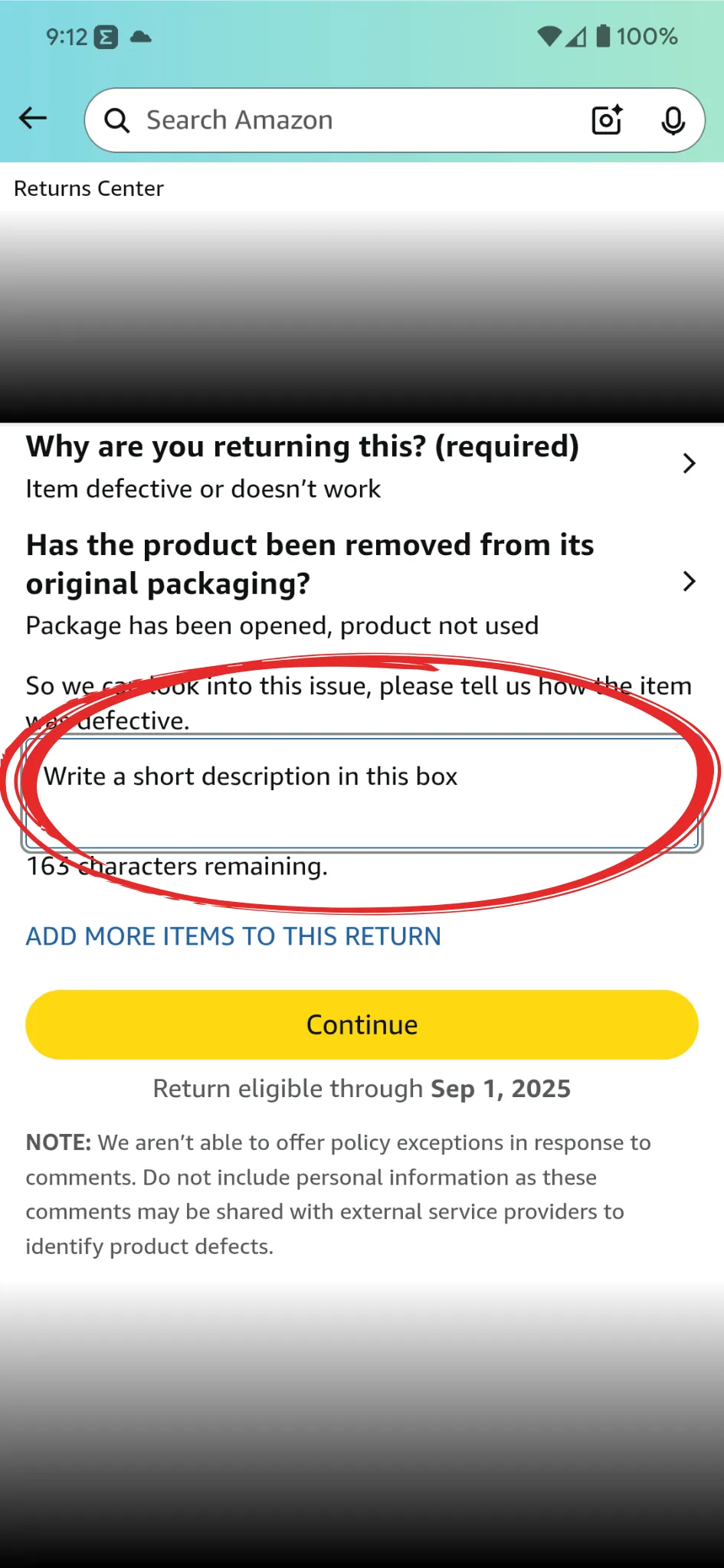
Describe the Issue and Proceed
Add any specific comments describing the problem if prompted, then continue to the next step to finalize your return details.
Choose UPS Drop-Off (We can handle the Label!)
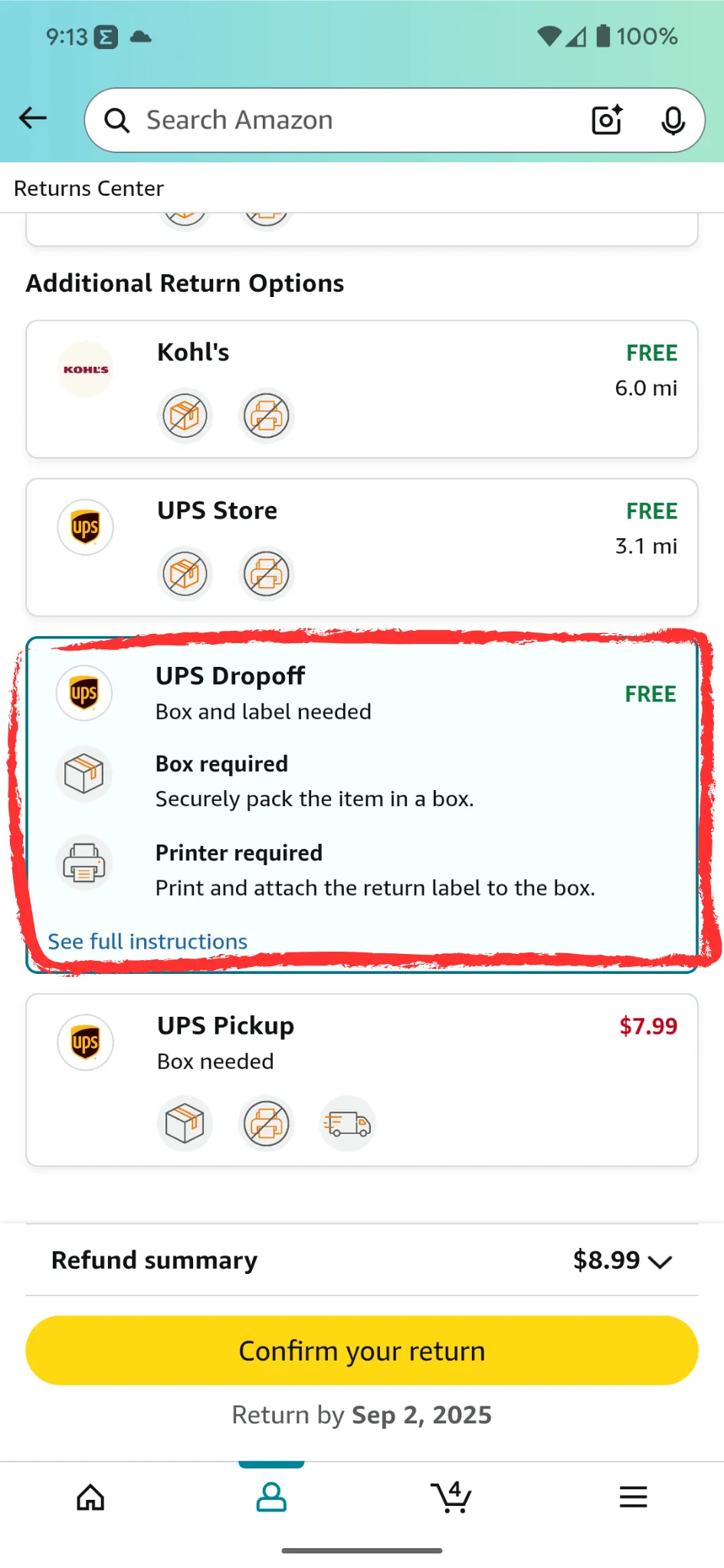
Choose UPS Drop-Off (We can handle the Label!)
Crucial Step: Select a return method that provides a printable shipping label (often labeled as UPS Drop-off Points). Avoid "No Box/No Label" options if you want to use Mailbox Plus.
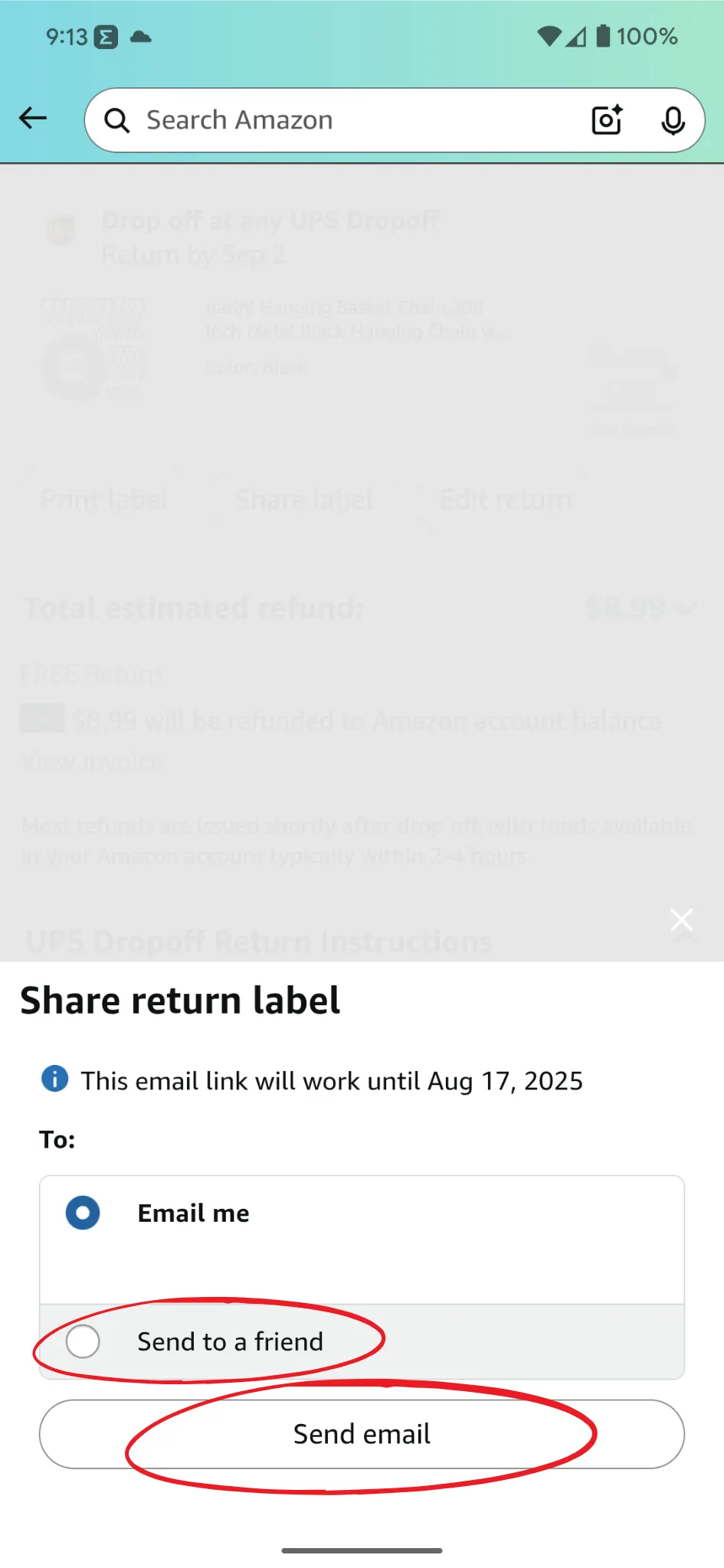
Share Your Return Label With Us ($2.00 fee)
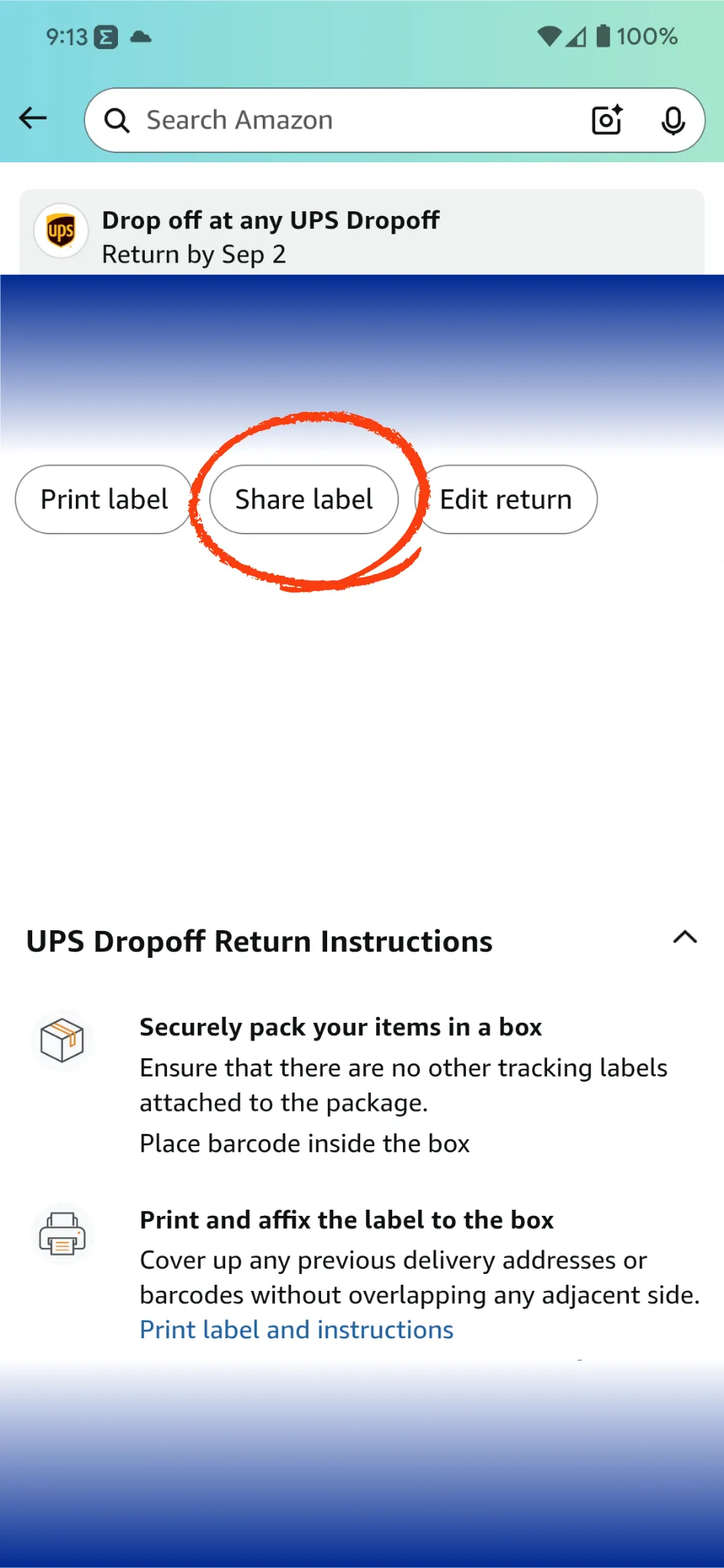
Share Your Return Label With Us ($2.00 fee)
No printer? No problem! We can print your label for a small $2.00 fee. Simply choose the option to "Share" or "Email" the label from the app.
Email the Label to Us
Email the Label to Us
Select your preferred email app and prepare to send the label file directly to our store for fast printing.
Step-by-Step: Printing & Final Drop-Off (Part 3)
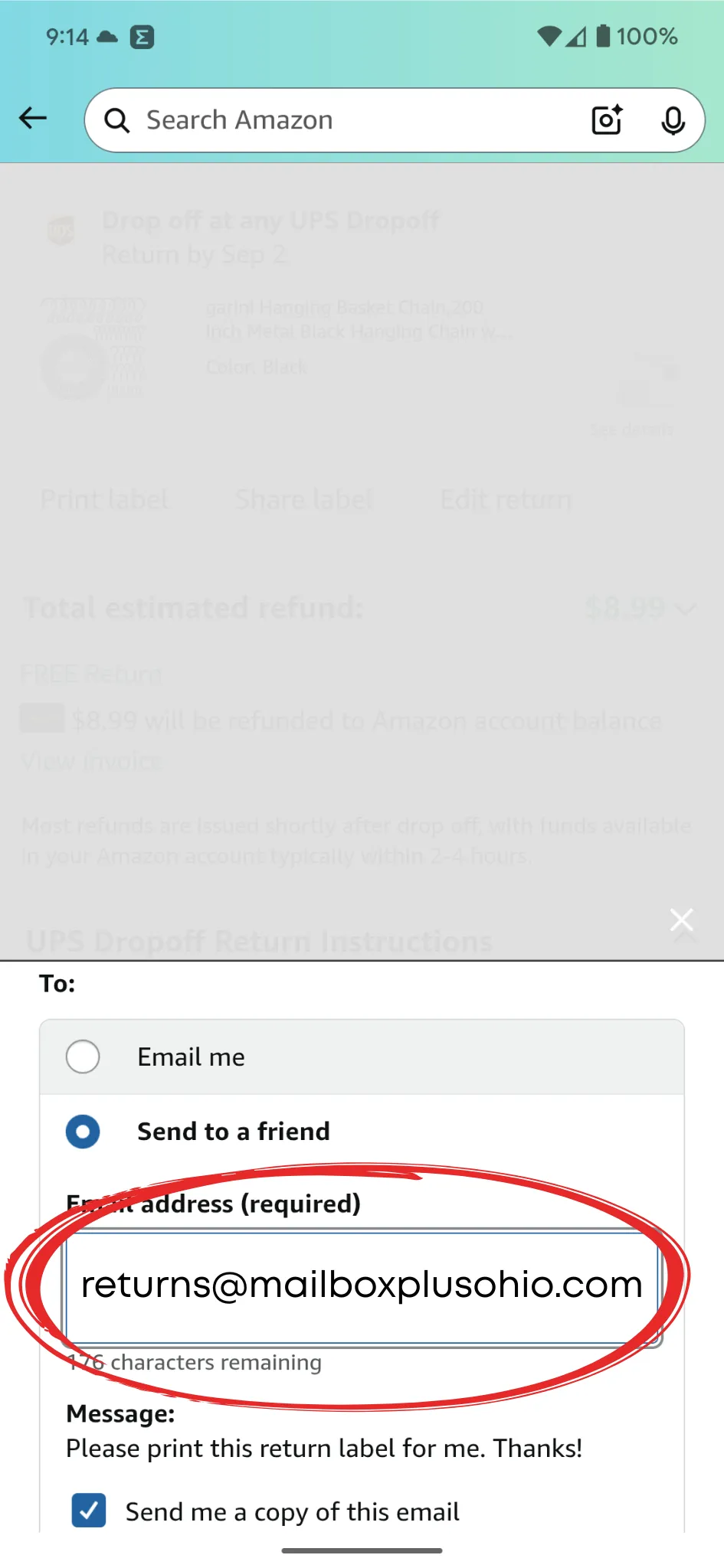
Send the Label to Mailbox Plus
Send the Label to Mailbox Plus
Send your shipping label to RETURNS@MAILBOXPLUSOHIO.COM. We will print it out and have it ready for your arrival.
Confirmation: Label Sent Successfully

Confirmation: Label Sent Successfully
Ensure your email has been sent successfully. You can now head to our store knowing your paperwork is being handled.
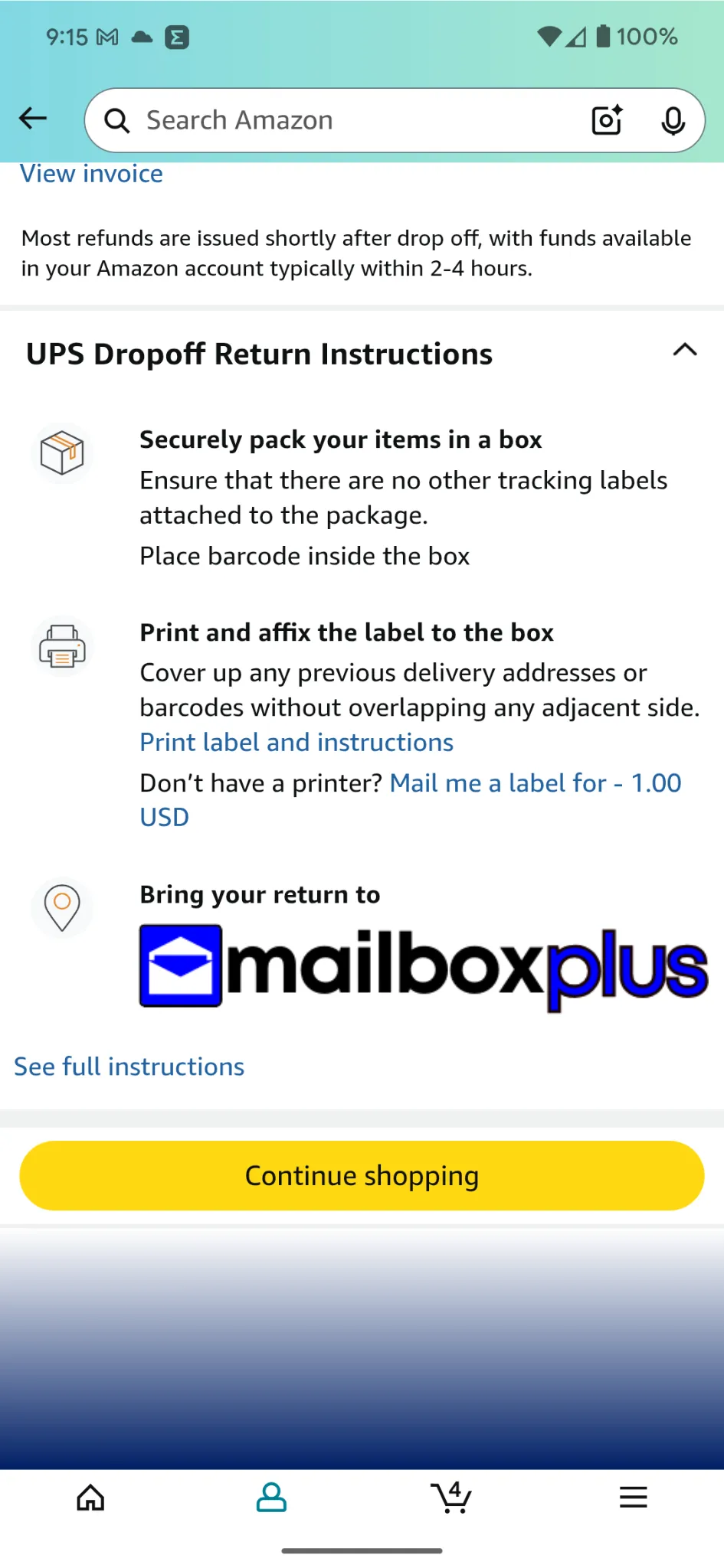
Now Drop Off at Mailbox Plus
Now Drop Off at Mailbox Plus
Bring your item to Mailbox Plus at 7554 Fredle Drive in Concord Township. We'll professionally pack it (if needed), attach the label, and ship it out for you!
Tip:
Start your return as early as possible to avoid missing the return window.
How Mailbox Plus Helps With Amazon Returns
Services We Provide:
- ● Print your Amazon label (if needed)
- ● Supply proper packaging
- ● Professionally pack fragile items
- ● Prepare shipments for all carriers
- ● Real person support for instructions
Why Choose Us?
"At Mailbox Plus, we assist residents throughout Lake County. We’re a local, owner-operated pack-and-ship store—when Amazon’s instructions get confusing, you can talk to a real person."
Common Problems & How We Help
"If Amazon only provides a QR code with no printable label, you must take that return to an authorized Amazon partner."
When You Should NOT Use Mailbox Plus
- ✕ Amazon only gave you a QR code
- ✕ Amazon forced the return to a specific partner location
- ✕ Amazon requires in-person verification
Holiday Return Extensions
Why Local Customers Choose Us
“Shipping shouldn't cost you an hour.”
Shipping a Lot of Amazon Returns? Your Address Is on Every One.
Every Amazon return label you print has your home address on it. Every package sitting on your porch is visible to every driver, neighbor, and passerby.
If you're shipping returns regularly, a Mailbox Plus private mailbox gives you a real street address in Concord Township — all your returns go to our counter, not your porch. We sign for packages from UPS, FedEx, USPS, and DHL. From $35/month.
Frequently Asked Questions
Get quick answers to the most common questions about packaging, carriers, pricing, and what to expect.
Can Mailbox Plus scan my Amazon QR code?
Do you charge for helping with Amazon returns?
Do you control whether Amazon approves my refund?
Can you print my Amazon label if I don’t have a printer?
Do you help with returns for other retailers besides Amazon?
Related Services You Might Need