The Scene That Starts Everything
The shirt does not fit. The blender stopped working after three uses. The book that was supposed to be hardcover arrived in paperback. Whatever the reason, you need to send it back to Amazon.
You open the Amazon app on your phone. You navigate to Your Orders. You tap "Return or Replace Items." You select the item, choose a reason, and hit Continue.
And there it is — the fork in the road.
Amazon asks how you want to return it. Sometimes you get a QR code. Sometimes you get a printable label. Sometimes you get a choice, and sometimes Amazon just picks for you.
If you do not have a printer — or your printer is out of ink, or the last time you tried to print a shipping label it took twenty minutes to align the page and then the tape smudged the barcode — the decision matters more than it should.
Here is the part almost nobody tells you: the two options are not the same. They do not go to the same places. And mixing them up costs you a trip.
The Two Roads: QR Code or Label
Amazon's returns system gives you two paths, and they behave completely differently.
The QR code. This is Amazon's label-free option. The store you drop it at scans the code, Amazon prints the label on its own system, and the package is on its way. No box, no tape, no printer — you just show your phone and hand over the item.
That sounds amazing. Here is the catch: only Amazon-authorized drop-off locations can scan those codes. The UPS Store, Kohl's, Whole Foods, and Amazon Hub — the partners Amazon has given its scanning technology to. Your local independent shipping counter is not on that list unless Amazon has approved them.
The printable label. This is a PDF Amazon generates for you. You print it, tape it to the box, and drop it at the carrier that issued it — UPS, FedEx, or USPS. Any authorized counter for that carrier can take it.
Here is the truth we will not spin for you: Mailbox Plus cannot scan Amazon QR codes. We are not an Amazon-authorized QR partner. If your return is QR-only, we have to send you to one of Amazon's partners — and we hate doing that as much as you hate hearing it.
But if your return comes with a printable label — and you can almost always choose that option in the app — we are the easiest drop-off in Concord Township.
What It Actually Feels Like
You pack the blender back into its original box. You grab your phone with the QR code. You drive to the partner location Amazon picked — maybe the UPS Store on Mentor Avenue, maybe a Whole Foods in another town.
The parking lot is full. You wait for a spot. You walk in. There is a line of five people ahead of you, each holding a return.
You wait. When it is your turn, the clerk scans your QR code. The system accepts it. They print a label, stick it on the box, and hand you a receipt.
Total time: twenty-five minutes. The actual drop-off took twenty seconds.
Now add up your return trips over the last year. The shoes that did not fit. The kitchen gadget that broke. The gift you did not need. Six to ten return trips, at twenty-five minutes each — two and a half to four hours of your life spent handing boxes to clerks.
Why It Should Not Be This Way
The return is the worst part of online shopping. You ordered something, it did not work out, and now you have to invest time and energy into undoing the purchase. The easier the return, the more likely you are to buy again. Amazon knows this — that is why they built smooth online returns.
But the physical drop-off is where it breaks. If the nearest QR partner is a fifteen-minute drive, or their hours do not match yours, or they only take certain carriers, the return becomes a chore.
A sixty-second drop-off should not require a twenty-minute trip. And it does not have to — if you know which option to pick.
What We See Every Day
At Mailbox Plus on Fredle Drive, we handle returns every single day — Amazon, UPS, FedEx, USPS, DHL, and retailers you have never heard of. We are an authorized FedEx ShipCenter, a UPS Authorized Shipper, a USPS provider, and a DHL Service Point.
Here is how it works for Amazon:
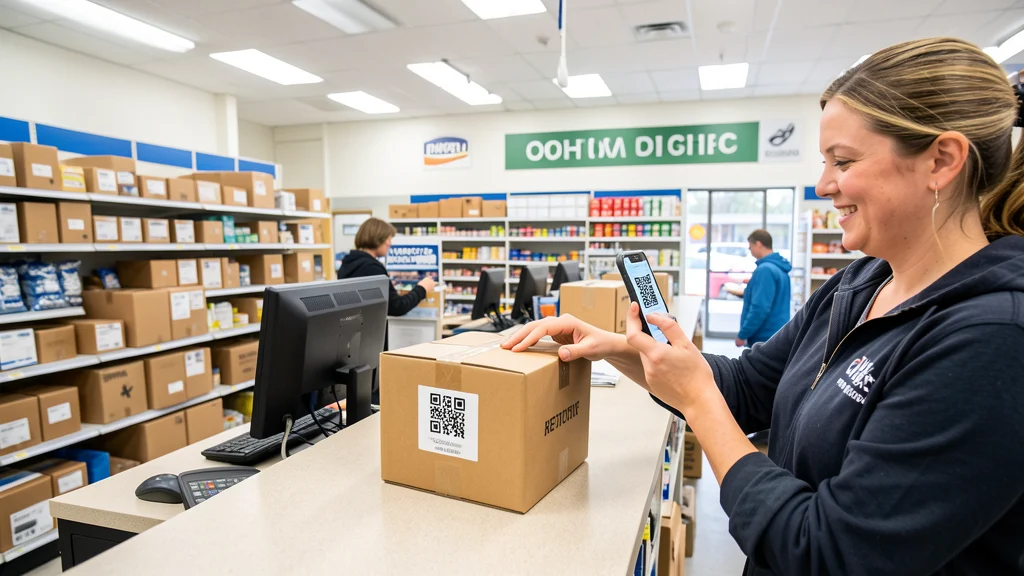
Pre-labeled returns. If your Amazon return has a printable label — whether you printed it at home or Amazon gave you a label to drop off — bring the labeled package to us. We scan it into the carrier's system, hand you a receipt with tracking, and you are out the door. No waiting in a line at a big-box store. No driving across town.
No printer? No problem. Send the label PDF to returns@mailboxplusohio.com(opens in a new tab) or show it on your phone. We print it on adhesive label paper for a couple of dollars, attach it to your package, and hand it to the carrier.
Multi-carrier returns. Amazon assigns UPS, FedEx, or USPS depending on the item. We take all of them. If your return label is purple, brown, or blue, it does not matter — one counter, every carrier.
The whole interaction takes about sixty seconds. You walk in, hand us the package, we scan it, and you walk out.
How to Get a Printable Label
This is the part worth saving. When Amazon asks how you want to return the item, you can steer it toward a label:
- In the Amazon app, go to Your Orders and select the item.
- Choose "Return or Replace Items" and pick your reason.
- When Amazon shows the return options, look for the choice that gives you a shipping label — often listed as a carrier drop-off (UPS, FedEx, or USPS) with a printable label. That is the option that works at Mailbox Plus.
- Generate the label. If it gives you a PDF, you are set — bring it on your phone or email it to returns@mailboxplusohio.com(opens in a new tab).
If Amazon only offers a QR code — no printable label, no carrier option — that return has to go to an Amazon-authorized partner (The UPS Store, Kohl's, Whole Foods, or an Amazon Hub). We will tell you that straight to your face, because sending you away after you stood in line is not how we do business. But if the label option exists, that is where we come in.
What You Lose by Driving to the Franchise Store
The cost of a carrier-exclusive drop-off is not just your time — it is being locked into one network.
When the UPS Store is busy, you wait. When Kohl's is out of your way, you skip the return. When the Amazon Hub Locker is full, you drive to another location.
None of these options are bad. They just are not optimal — not for speed, not for convenience, and not for people who want to handle their business in one trip.
A single independent counter that accepts every carrier's labeled returns, every time, is the better option. You compare rates, you pack, you drop, you leave. One stop.
Your Afternoon After the Change
You open the Amazon app. You pick the label option this time. The PDF lands in your email.
You pack the item, swing by Mailbox Plus on Fredle Drive, and hand the package over. The counter is open. They print the label you forwarded, attach it, scan it, and hand you a receipt with the tracking number.
You look at your phone. You were in the store for one minute and twelve seconds.
The whole trip, from your driveway back to your driveway, took seven minutes. No line. No guessing which store takes your return. No wondering whether you picked the wrong option.
Bring It In
If you have an Amazon return sitting in your hallway — or any return, from any retailer — bring it to Mailbox Plus at 7554 Fredle Drive in Concord Township. Pre-labeled, any carrier. Sixty seconds at the counter, and you are done.
One honest note so there is no surprise at the door: Amazon QR-only returns must go to an Amazon-authorized partner. We cannot scan those. But if your return has a label — or can be switched to a label in the app — we are the fastest counter in town to get it on a truck.
Visit Mailbox Plus today →